
If you’re still running 100% paid traffic in 2026, you’re leaving a lot on the table.
I’ve been saying this for years. Paid is amazing for testing fast and scaling what works. But you should also be running organic on TikTok, Reels and Shorts, so you have a traffic stream that doesn’t die the night your ad account gets restricted at 3 AM.
My team has been playing with organic for a while now. And like everyone else, we did it the hard way. A drawer full of phones. Cables everywhere. Chargers all over the desk. A stack of SIM cards. And VAs messaging me “which phone is this account on again?” It was a nightmare.
So when GeeLark reached out, I told the team to test it properly. Not a quick look around the dashboard. Run it like a real affiliate operation and tell me if it holds up.
Here’s what we found.
The quick version: yes, it works. GeeLark gives you real Android phones that live in the cloud, and you run all of them from one app on your computer. Three weeks in, it has replaced our phone farm for TikTok, Reels and Shorts. We save 15 to 20 hours a week on posting, and we test 3 to 4 times more creatives than before. It won’t make anything go viral for you. It’s infrastructure. But organic at scale doesn’t happen without it.
The Real Problem: Organic Needs Real Phones
I’m not going to sugarcoat this.
If you want to do organic properly (creator tools, posting, warming accounts up, commenting), you have to do it inside the mobile app, on real Android. Desktop browsers don’t cut it anymore.
Once you try to do that with more than a couple of accounts, you’re stuck with two options, and both suck.
Option A: a physical phone farm. Buy 20 or 30 phones. Charge them, store them, update them. Ship them to VAs in another country. Somebody drops one and that account is gone, along with everything you set up on it. Need 10 more accounts? Go buy 10 more phones, more cables, another rack.
Option B: Android emulators on your own PC. They eat your RAM, they glitch all the time, and sharing them with a remote team is basically impossible. Try giving your VA access to an emulator running on your machine. Good luck with that.
Both options are expensive, both are a pain to maintain, and neither was built for a team.
That’s the exact problem GeeLark fixes.
What Is GeeLark? (And What’s a Cloud Phone?)
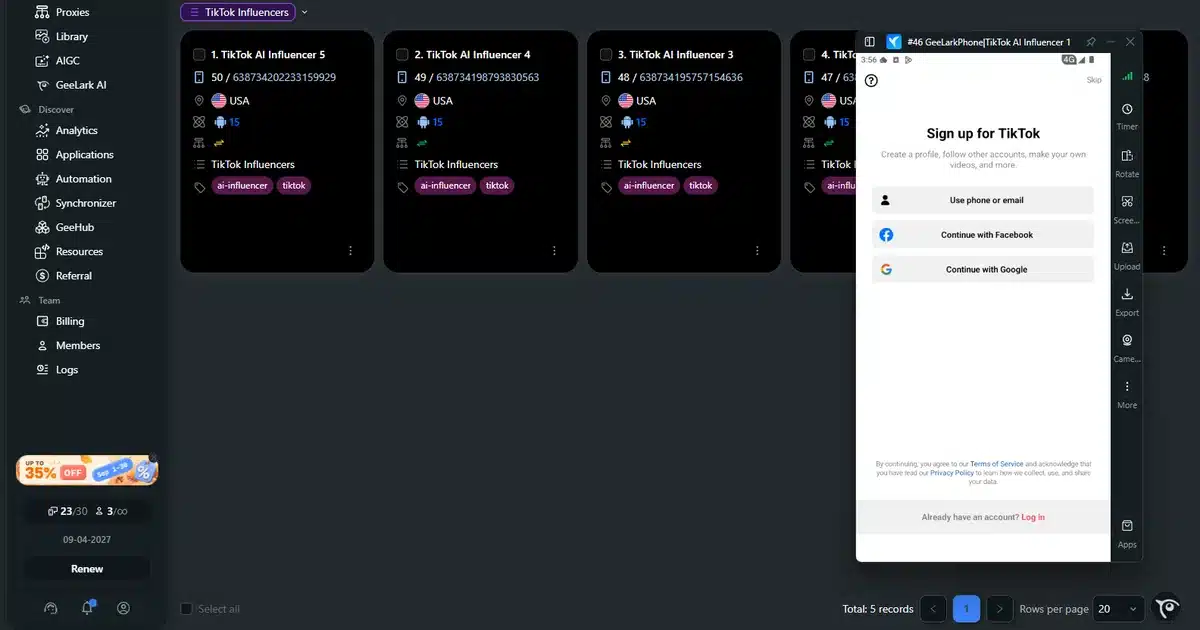
GeeLark is cloud phone infrastructure. A cloud phone is a real Android phone that sits in a data center instead of in your pocket. You see its screen and control it from your computer, and it keeps its apps and logins after you close the window.
GeeLark describes its phones as real Android environments hosted in the cloud, not emulators, and it’s not some workaround.
You open their desktop app and control your phones from there. Every cloud phone is its own separate Android environment, with its own apps, its own logins, its own proxy and its own device profile. If you’ve used one of the anti-detect browsers from my Dolphin Anty vs AdsPower comparison, it’s the same idea, just for mobile apps.
From one dashboard you can:
- Spin up new cloud phones in seconds
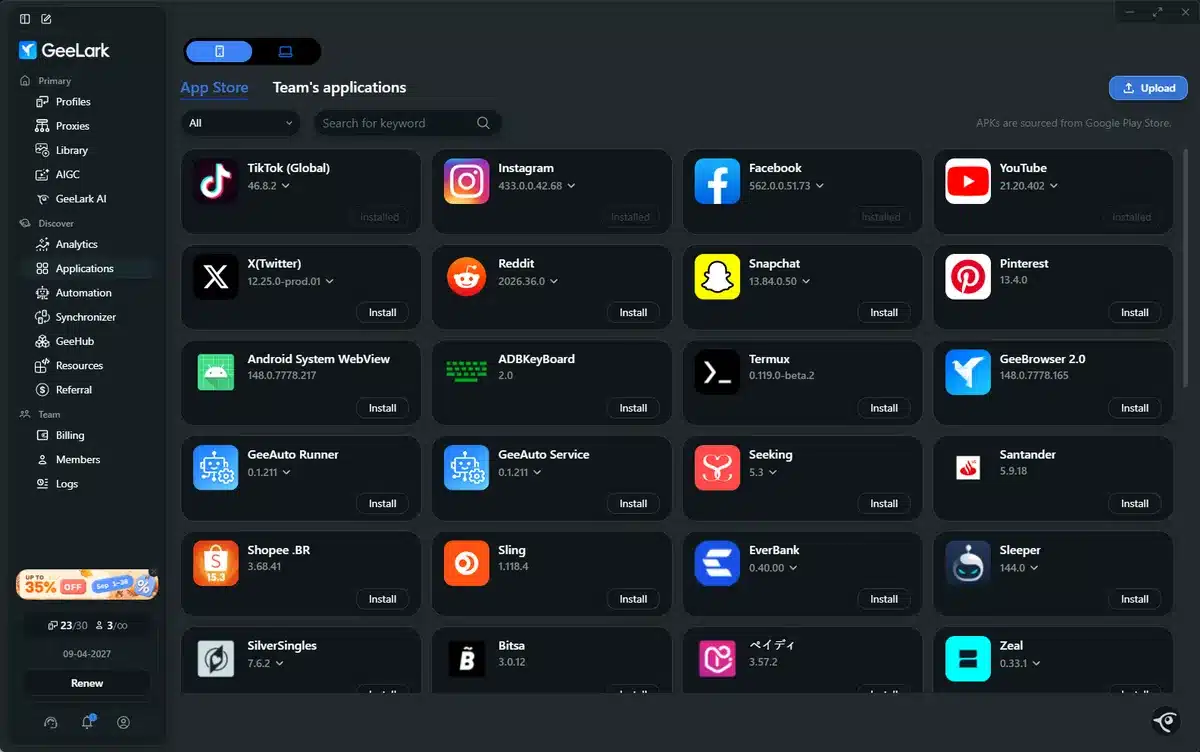
- Install TikTok, Instagram, Facebook, YouTube, X and Reddit on each one
- Give every phone its own proxy for the GEO you’re targeting
- Give team members access without shipping anything
- Run automation on top of all of it
Basically, it swaps the drawer full of phones for one dashboard.
How We Set GeeLark Up for Affiliate Work
Setup was stupid simple.
- Signed up on geelark.com and downloaded the desktop app.
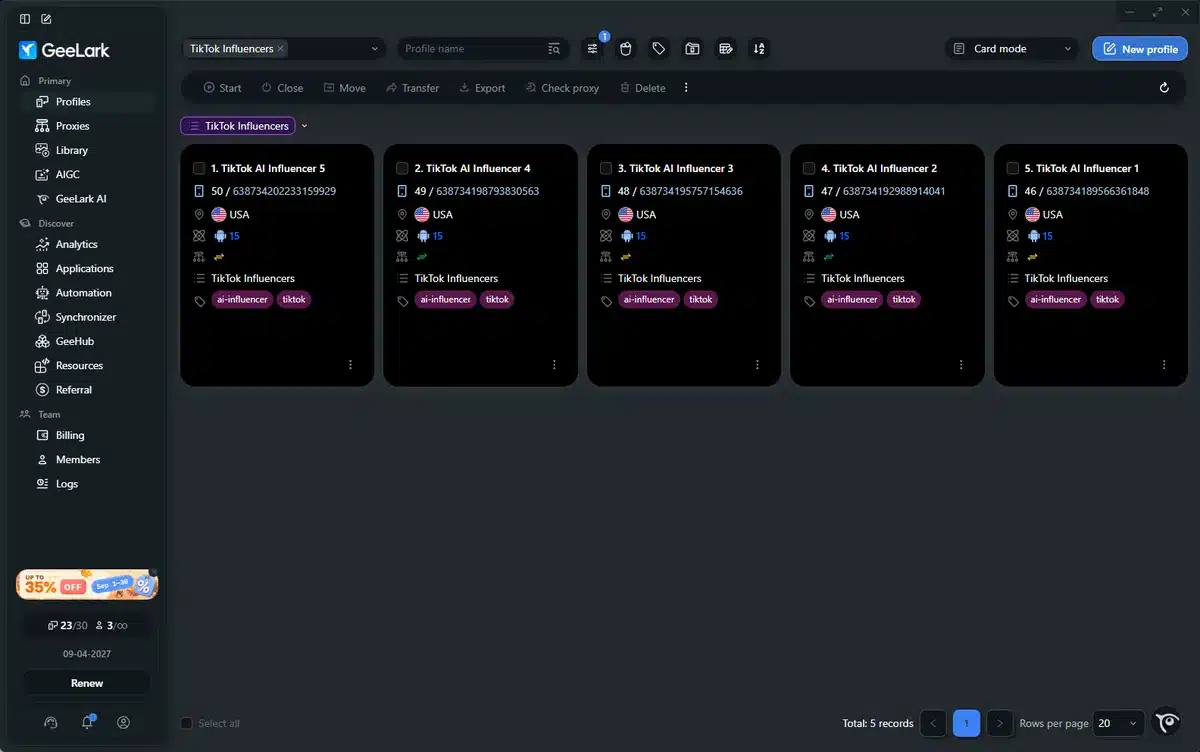
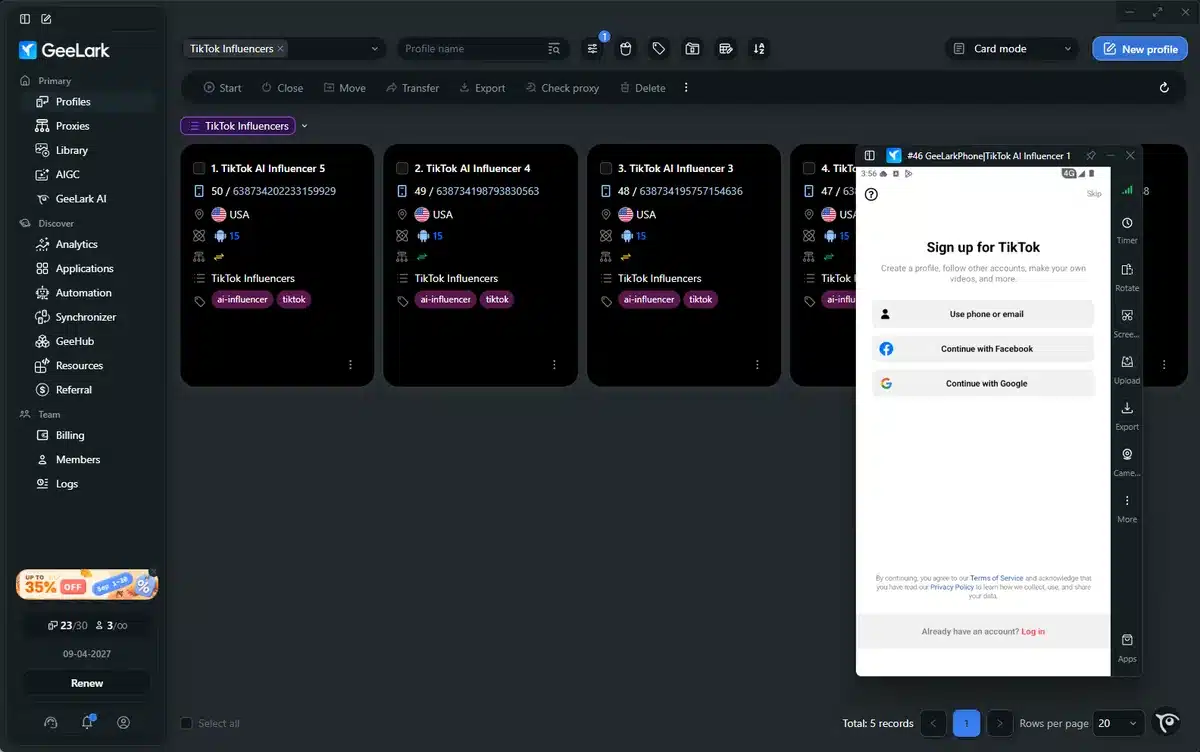
- Clicked “New Cloud Phone.” We started with 15 and grouped them the same way we group campaigns, like “TikTok / Ecom / US”, “IG / Nutra / DE” and “FB / Lead Gen”.
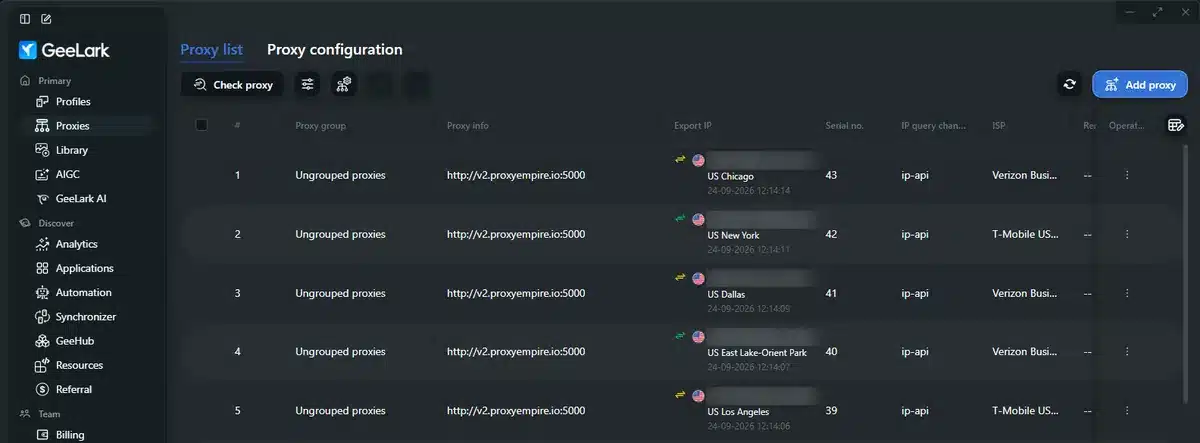
- Gave each phone a proxy for its region. You can bulk import proxies, set the country and check that they’re healthy right in the dashboard, which matters a lot if your content is geo-targeted. (Still choosing a provider? Start with my proxy buying guide. For TikTok we use mobile proxies locked to one US city and one carrier per phone.)
- Installed the apps we needed and logged in. Every phone keeps its own sessions, so accounts never get mixed up.
Buying and setting up phones used to take us 2 days. This took 20 minutes.
5 Ways Affiliates Can Use GeeLark to Grow Organic TikTok Traffic
This is the part that matters for us affiliates. It’s not about bragging that you run 100 accounts. It’s about having a system that lets you test content faster than everyone else.
Here are the 5 ways my team uses it right now.
1. One Phone, One Account. Everything Stays Organized.
Sounds basic. It’s HUGE.
Every account lives on its own cloud phone. My TikTok account for a pet gadget offer doesn’t share cache, app data or a login with the account posting finance tips. We group them by offer, by GEO and by VA. It’s the same discipline I use when farming accounts on other platforms.
No more “oh shit, I just posted that on the wrong account.” Everything is separated and labeled.
2. Kill the Manual Work With TikTok Automation
This one’s my favorite.
GeeLark comes with Automation Templates and an RPA Builder, and you don’t need to write any code.
Here’s what we use:
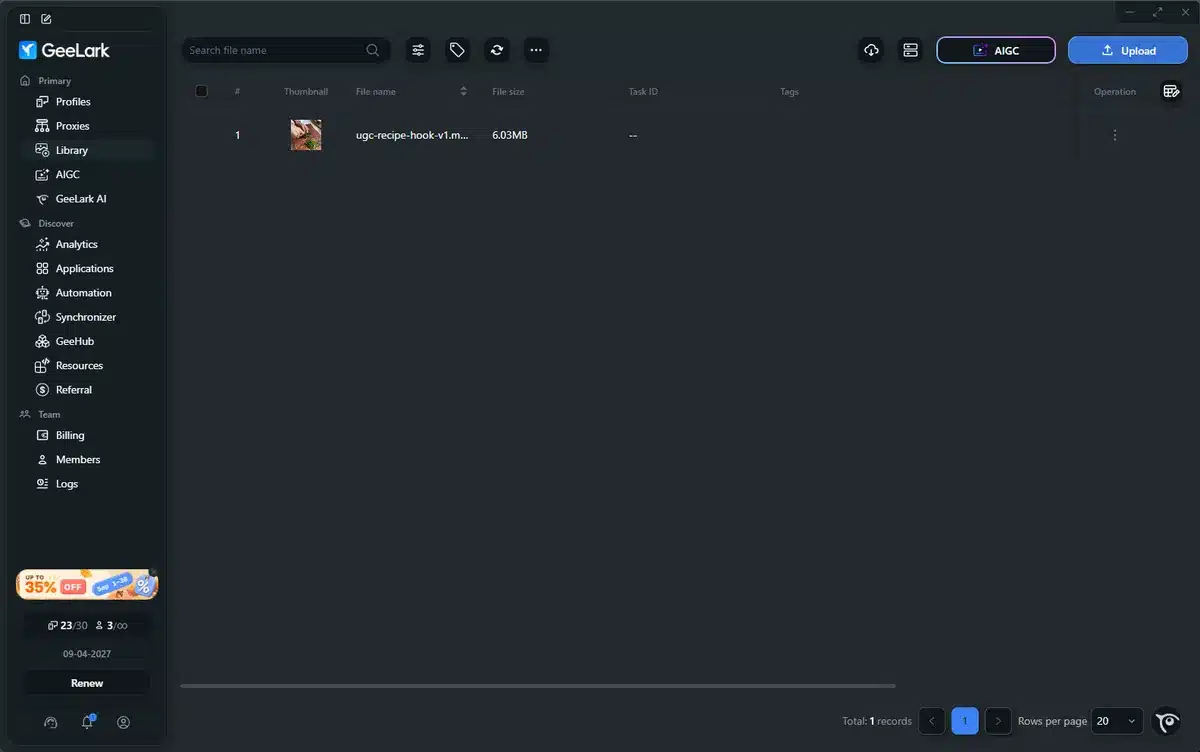
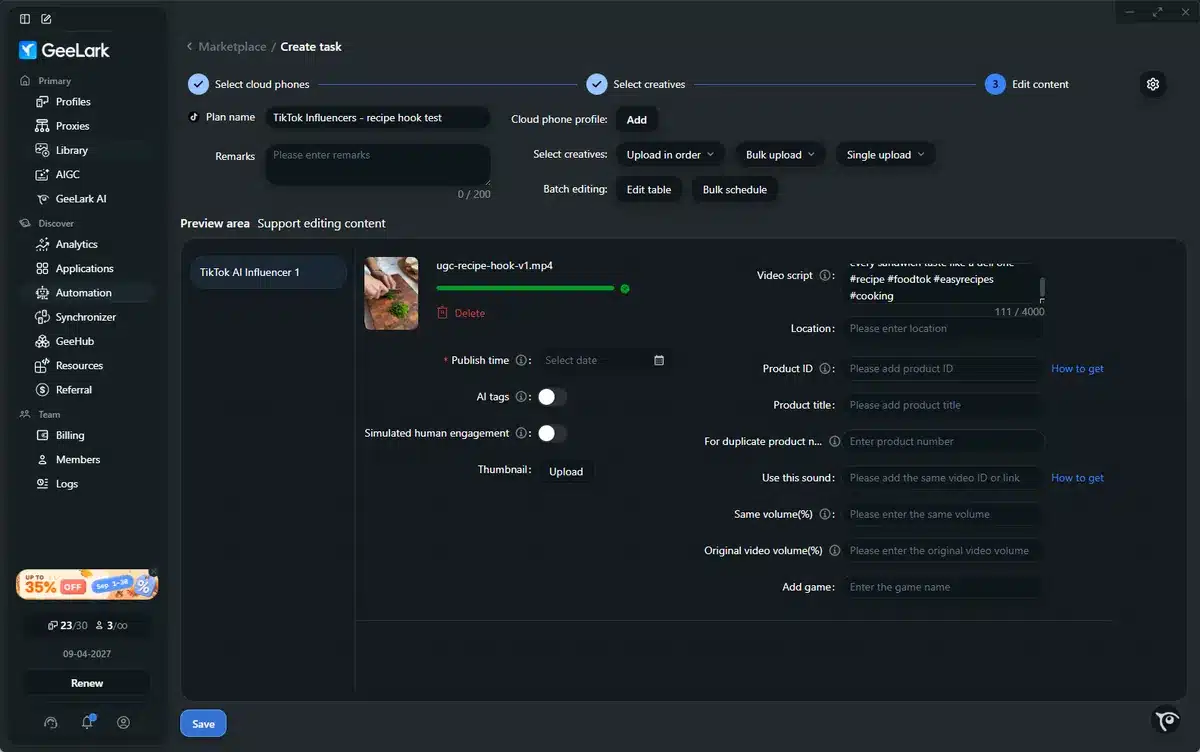
- The TikTok publishing template. Pick your cloud phones, pick videos from the Library, add captions and hashtags, schedule it. It posts through the real TikTok app on each phone.
- Synchronizer. Do something on one phone, like setting up a profile, and it gets copied to 10 others at the same time. Saves hours.
- Custom RPA flows. For the boring warm-up stuff like scrolling the feed, watching videos and opening apps. You build the flow once in their visual builder and reuse it forever.
We went from a VA spending 4 hours a day posting by hand to scheduling a whole week in 40 minutes.
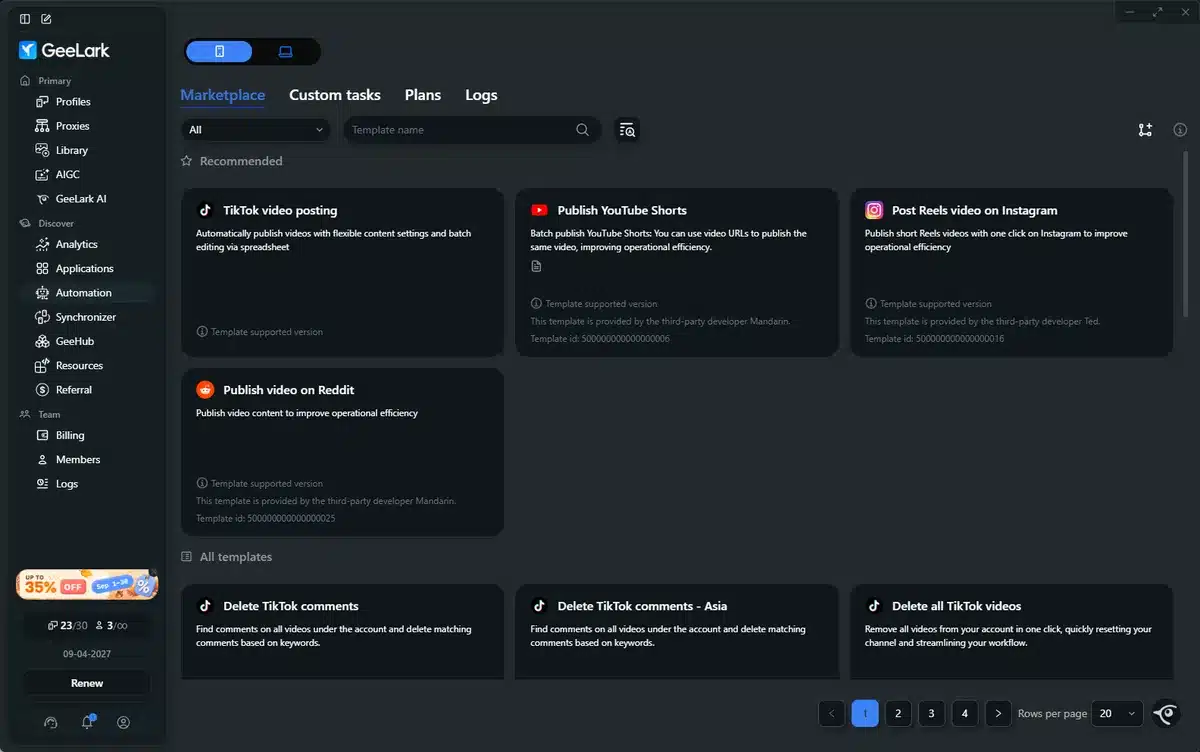
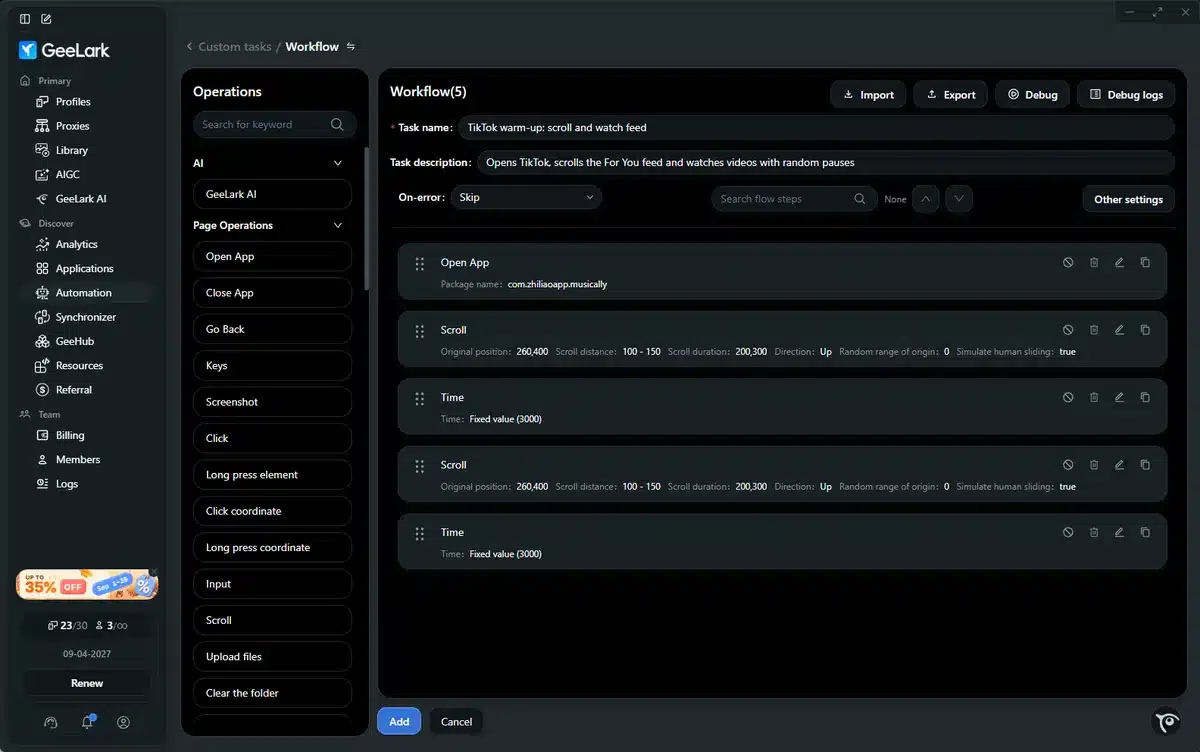
TIP: automation is for getting rid of repetitive clicks, not for spamming. Use it to make your workflow faster, not to break platform rules. If you spam, you’ll get restricted, and no tool will save you from that.
3. Test Content at Scale With the Built-in AI
This is where GeeLark got smart. They put AI content tools right inside the same workspace.
From the same dashboard your phones live in, you can:
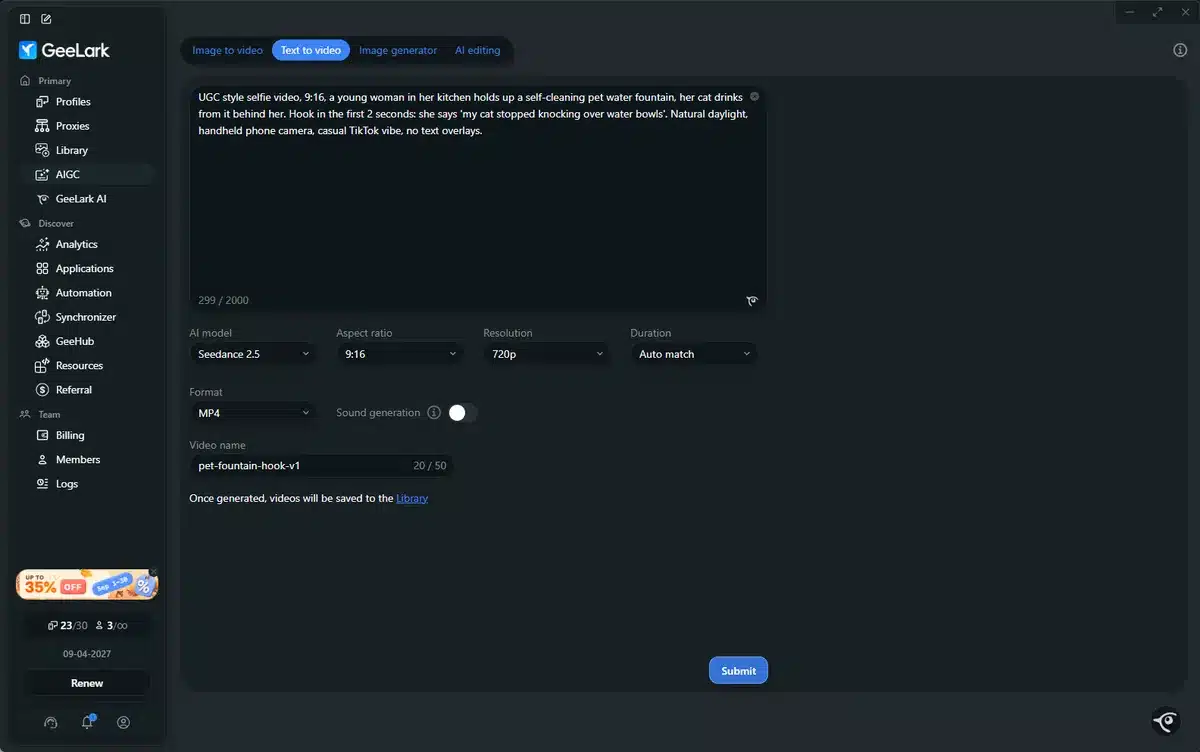
- Generate UGC-style images and short videos from a text prompt
- Take one winning video and spin 10 versions of it, with different hooks, captions and first 3 seconds
- Cut one long video into a bunch of Shorts and Reels
- Keep everything in the Library and send it straight to your cloud phones for posting
For affiliates, this is a big deal. You know creative is EVERYTHING. We used to make 5 versions of an angle. Now my guys make 20 to 30 a day per offer and test them across accounts. (New to AI creatives? Read why everyone uses AI videos wrong and my AI UGC cheat sheet first.)
Here’s our workflow right now:
One ecom product, then 5 AI-generated hooks, then 3 different voiceovers. We post them across 5 TikTok accounts on separate cloud phones, see which hook sticks, and scale the winner with paid.
Organic turns into a free testing lab for your creatives. And the winners go straight into the TikTok ad testing process I use on the paid side.
4. Team Access Without Shipping Phones Around
Honestly, this alone is worth it.
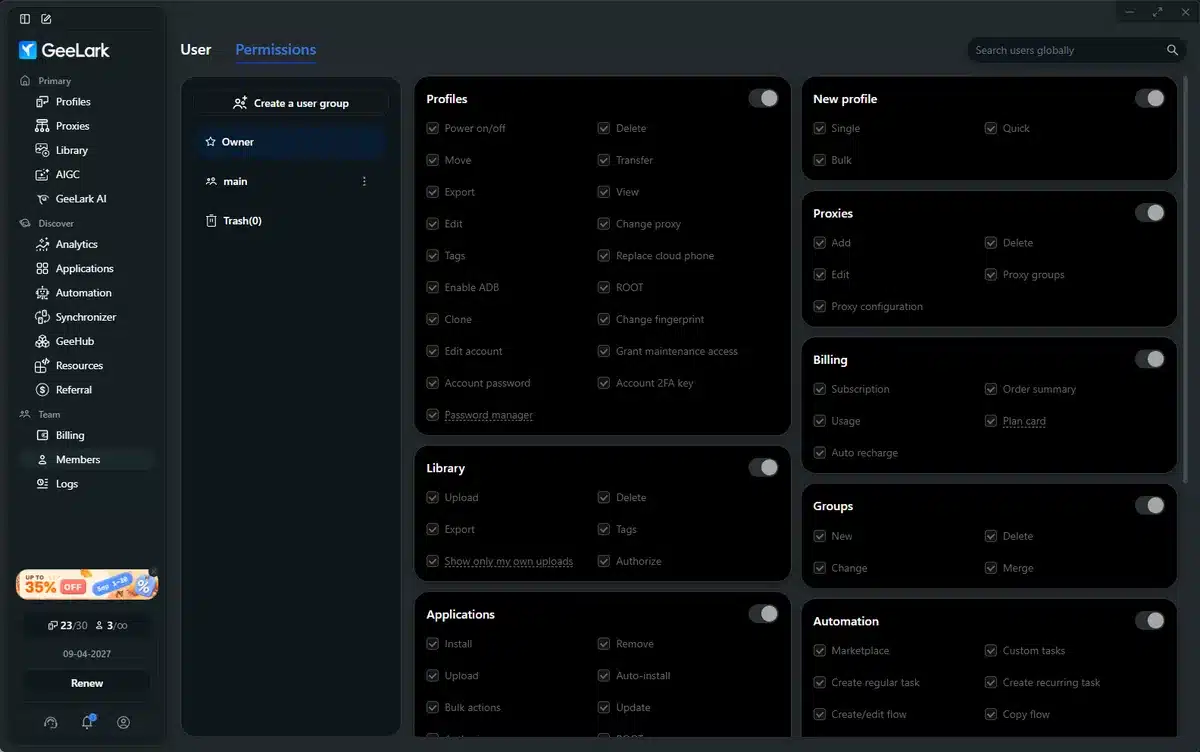
Before, I had to ship phones or use TeamViewer on some crappy laptop running emulators. Now I make a group called “TikTok Team John” and assign 10 cloud phones to John. He logs in from his own computer and only sees his phones. He doesn’t see my other clients or offers.
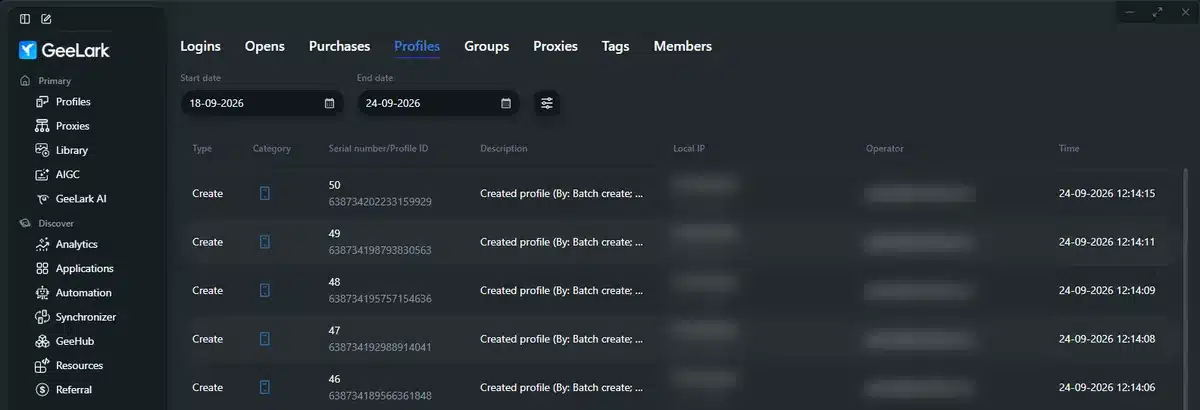
You get roles, permissions and full activity logs, so you can see who did what, on which phone, and when. No more “who logged out this account?” drama.
5. Scale Up and Down Like a Real Business
When we launch a new vertical, we spin up 20 more cloud phones. When we kill one, we delete them. No hardware sitting around collecting dust.
With real phones it’s always the same story. Need more accounts? Buy more phones. VA quits? Get the phones shipped back. Battery dies? You might lose the account.
With GeeLark you click, create, assign, done. And you only pay for what you use.
Physical Phone Farm vs GeeLark Cloud Phones
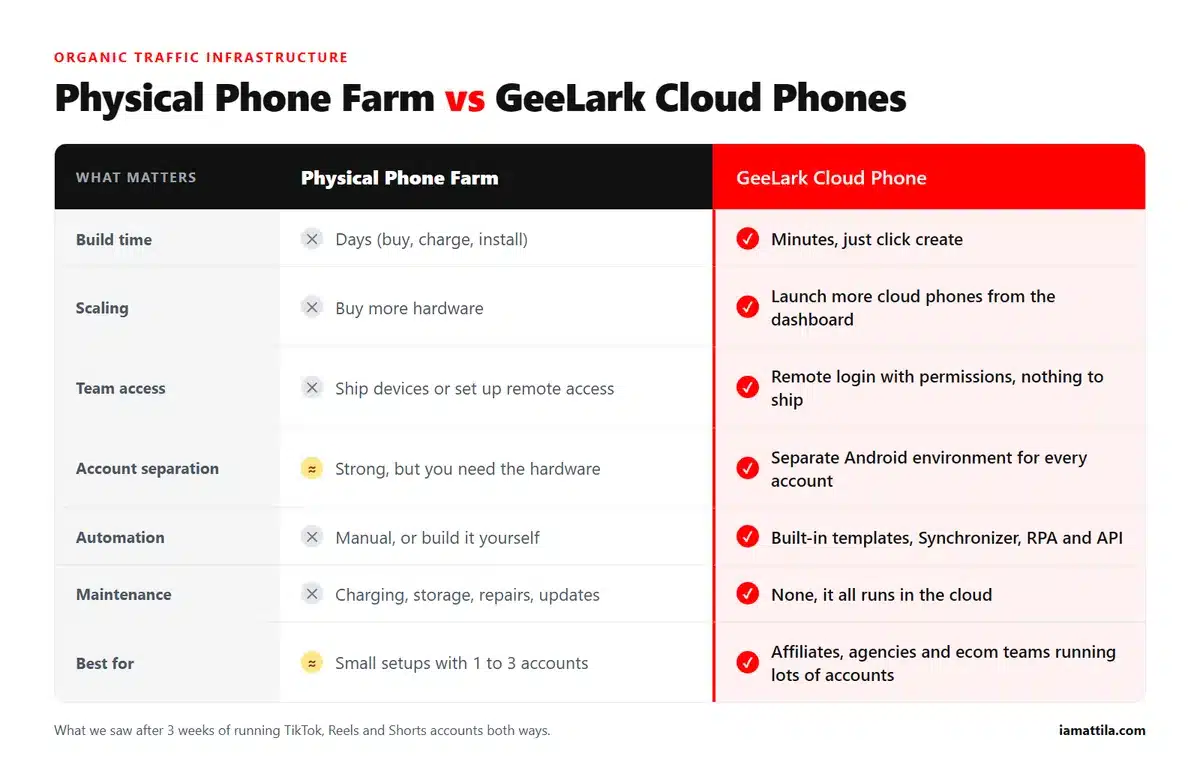
| What matters | Physical phone farm | GeeLark cloud phones |
|---|---|---|
| Build time | Days (buy, charge, install) | Minutes, just click create |
| Scaling | Buy more hardware | Launch more cloud phones from the dashboard |
| Team access | Ship devices or set up remote access | Remote login with permissions, nothing to ship |
| Account separation | Strong, but you need the hardware | Separate Android environment for every account |
| Automation | Manual, or build it yourself | Built-in templates, Synchronizer, RPA and API |
| Maintenance | Charging, storage, repairs, updates | None, it all runs in the cloud |
| Best for | Small setups with 1 to 3 accounts | Affiliates, agencies and ecom teams running lots of accounts |
GeeLark Pricing: What It Actually Cost Us
Pricing has two parts. There’s a monthly plan that decides how many phone profiles you can keep, and then you pay for the time your phones are switched on, either by the minute or as a monthly rental per phone.
The account we tested on is on the Pro plan, which is 30 phone profiles for $23 a month. GeeLark lets you configure the number of profiles and the monthly bonus minutes, so your price will differ, and there is also a Free plan (check geelark.com for what it includes). I booted one phone, installed TikTok and opened it, about five minutes in total. Our balance went down by two cents.
GeeLark quotes the running rate per minute, with a daily cap per device, and also offers a monthly rental per phone. Check the current numbers on its pricing page.
Prices change, so check the current plans on geelark.com before you budget anything. The phones aren’t the expensive part of organic anyway. Proxies and people are.
My Honest Verdict After 3 Weeks
Look, GeeLark will NOT make your TikTok go viral by magic. That’s not what it’s for.
It’s infrastructure. Voluum and RedTrack are infrastructure for tracking (here’s my affiliate tracker comparison if you need one), and GeeLark is infrastructure for running social accounts on mobile.
What I liked:
- It really does replace physical phones. That’s not marketing fluff.
- The dashboard is built for teams, with groups, tags, permissions and logs.
- Automation and AI live in the same place. You create, automate and run without juggling 5 different tools.
- It forces you to stay organized. One phone per account is how you should be working anyway.
What could be better:
- You still need good proxies, and you still need to follow the platform rules. GeeLark won’t save you from posting trash.
- The RPA builder takes some learning if you want complex custom flows. My advice is to start with their ready-made templates.
If you’re an affiliate who wants organic running next to paid on TikTok, Reels and Shorts, you need a system like this. You can’t scale organic with two phones in your pocket.
For us, it cut our device costs, saved 15 to 20 hours a week of manual posting and, most importantly, let us test 3 to 4 times more creatives.
Organic traffic is free, but only if you have the setup to actually harvest it.
GeeLark is the best setup I’ve seen so far for doing that at affiliate scale.
Go check it out at geelark.com. Start with 5 to 10 cloud phones, group them by offer, and try the publishing automation. You’ll get it within an hour.
Next steps: once the accounts are posting, turn the winners into paid tests with the creative testing guide, compare other ad sources in the traffic sources guide, and see how I run Dolphin Anty on the paid side in how to use Dolphin Anty to scale TikTok ads.
GeeLark FAQ
Is GeeLark an emulator?
No. GeeLark runs real Android phones in the cloud, and you control them from a desktop app. Every phone is its own Android environment with its own apps, logins, proxy and device profile. An emulator runs on your own PC and eats your RAM. A cloud phone doesn’t.
Can you run multiple TikTok accounts with GeeLark?
Yes, that’s what most people use it for. Put one TikTok account on each cloud phone, give every phone its own proxy, and group them by offer, GEO or VA. The phones don’t share anything, so your accounts stay separate.
How much does GeeLark cost?
You pay for a monthly plan, which sets how many phone profiles you can keep, plus the time your phones are running (by the minute or as a monthly rental). On the account we tested, the Pro plan was $23 a month for 30 profiles, and five minutes on one phone cost two cents. Check geelark.com for current prices.
Do you need proxies for GeeLark?
Yes. Give every cloud phone its own proxy so each account has its own IP and location. For TikTok we use mobile proxies locked to one US city and one carrier per phone. GeeLark checks proxy health and location right in the dashboard.
Cloud phone or phone farm: which one is better?
For 1 to 3 accounts, a couple of real phones is fine. Past that, cloud phones win. Setup takes minutes instead of days, there’s no hardware to charge or ship, your team gets remote access with permissions, and automation is built in.
Are you already running organic? What does your setup look like? Tell me in the comments.
Last reviewed: October 5, 2026 – details checked against the vendor’s official pages.
-Attila
